For estates and conservation groups running traps
Every trap on one map.
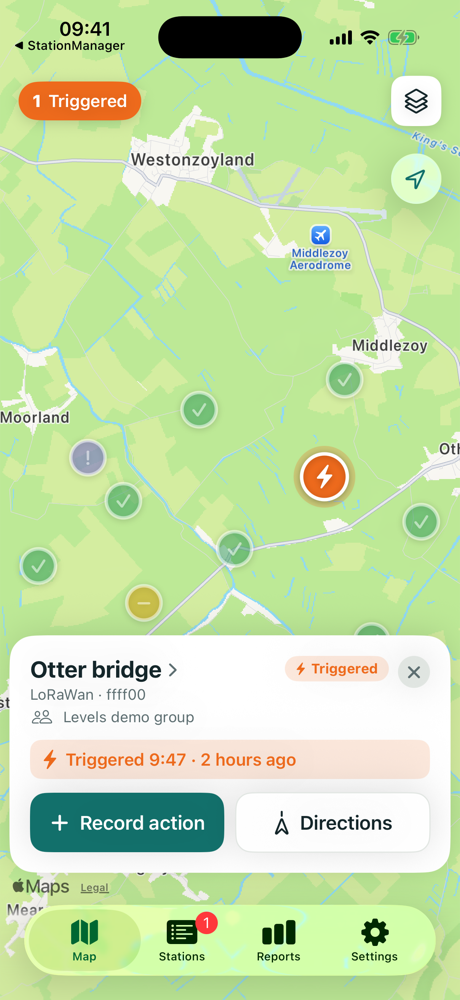
Station Manager shows where each of your traps is and what state it’s in. It tells your group the moment one is triggered, and keeps a record of every visit, catch and change, shared across the group.
What’s in the app.
Alerts that reach the right people
A push alert when a trap is triggered. If someone checked in at that trap in the last 45 minutes, they are the first to be told, as they most likely set it off.
Signal before you place a trap
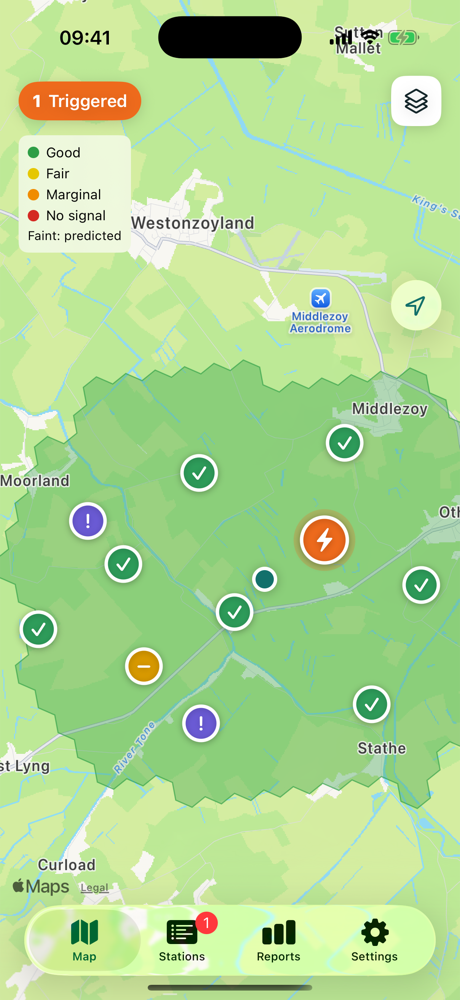
A LoRa coverage map built from your traps’ own signal readings, with estimated coverage where nobody has measured yet, from the lie of the land.
Works without signal
Traps, history and the coverage map around them are kept on the phone. Anything you record out of signal is sent when you’re back in range.
Catch reports
What the group has caught, by animal, trap and month, with a spreadsheet you can share. Mink, grey squirrel, rat, fox, magpie, crow and water vole are all recorded.
Quiet hours and muting
Mute the groups you don’t need to hear from, and set quiet hours. During quiet hours only a triggered trap will wake you.
Shared with your group
Each person sees the traps and stations in the groups they belong to. An admin decides who is in which group, and nobody sees what they weren’t given.
How it works.
-
1
Place your traps
Put a trap on the map from where you stand. Before you leave it there, test the signal at that spot. Traps report over LoRaWAN radio, so they don’t need a phone signal where they’re placed.
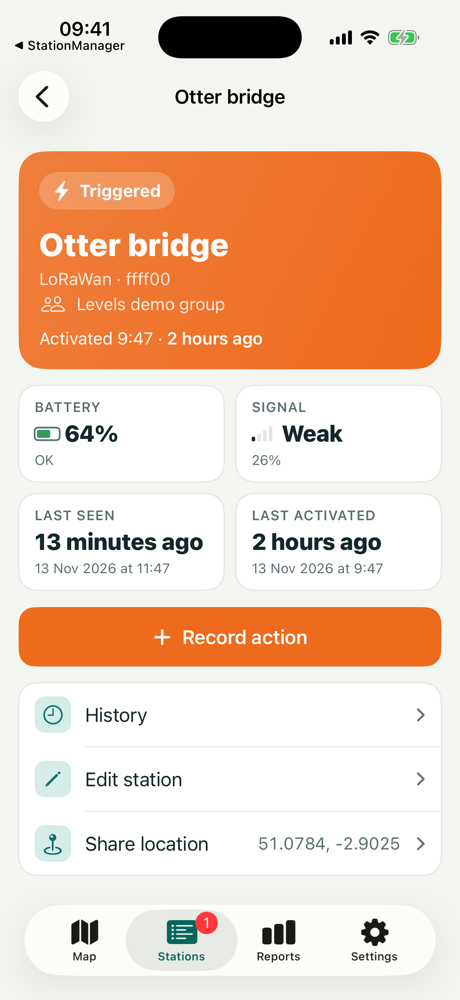
A trap’s own screen: its state, its history, and what was last done to it. -
2
Know what has happened
Each trap shows as set, unset, triggered or in error. A triggered trap sends an alert to the group. A trap that stops reporting is marked as an error after 13 hours of silence, so a quiet trap is noticed and not left behind.
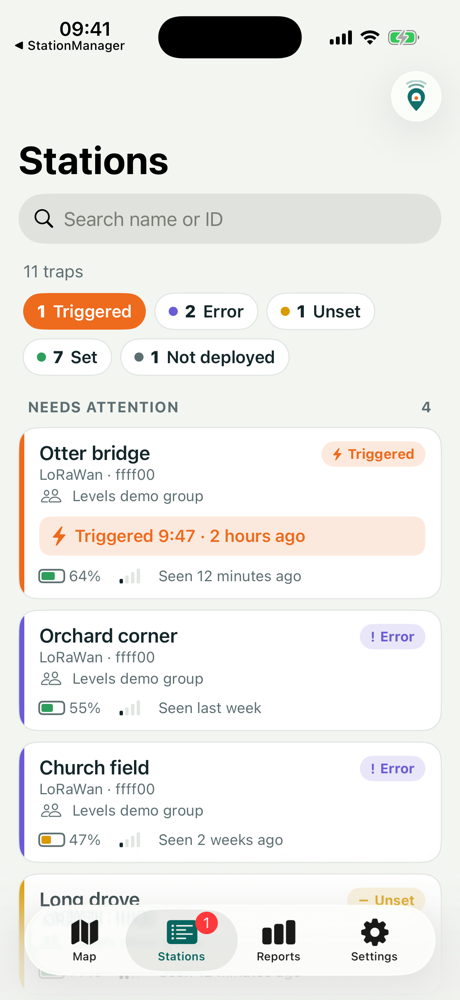
The stations list, sorted by what needs attention first. -
3
Record every visit
Record what you did at a trap: set it, cleared it, or what you caught. Each trap keeps its own history of state changes, battery and signal, actions and moves. Check-ins show the group who visited each trap and when.
When a trap is triggered.
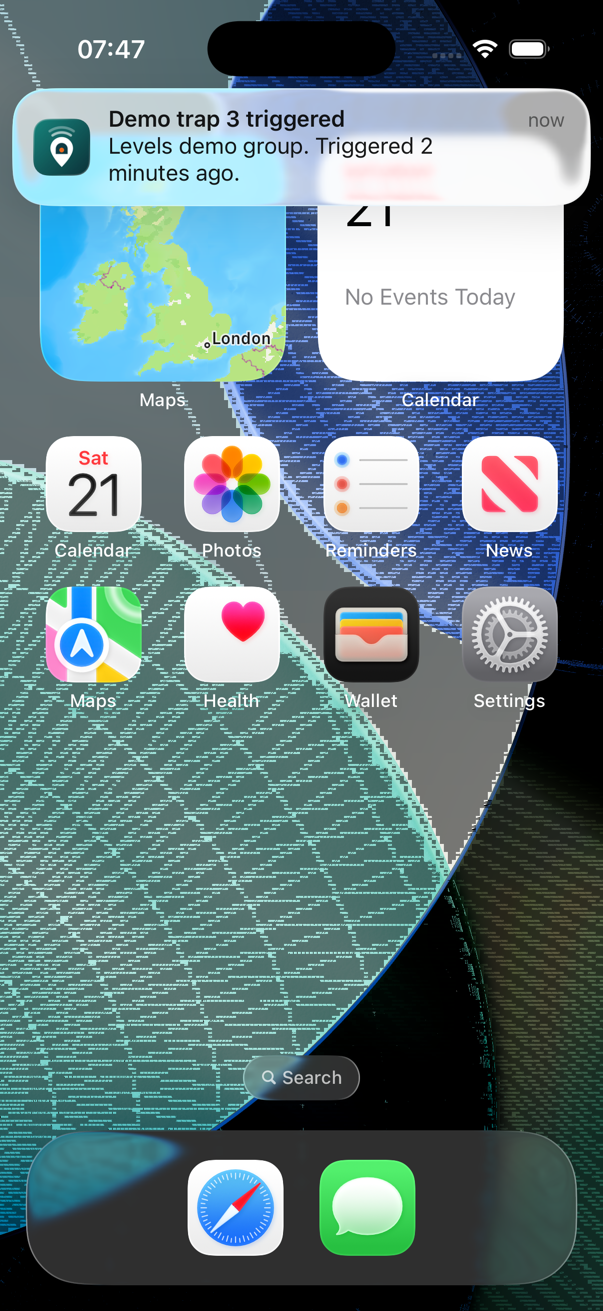
The alert reaches your phone straight away, on the home screen or the lock screen, without you opening the app.
- Which trap, and where. The alert names the trap and the group it belongs to, and how long ago it was triggered.
- Who is told first. If someone checked in at that trap in the last 45 minutes, they are the first to be alerted, as they most likely set it off.
- Quiet hours. Set quiet hours and only a triggered trap will wake you.
- Mute what you don’t need. Turn off alerts for the groups you don’t need to hear from.
Reports for your records.
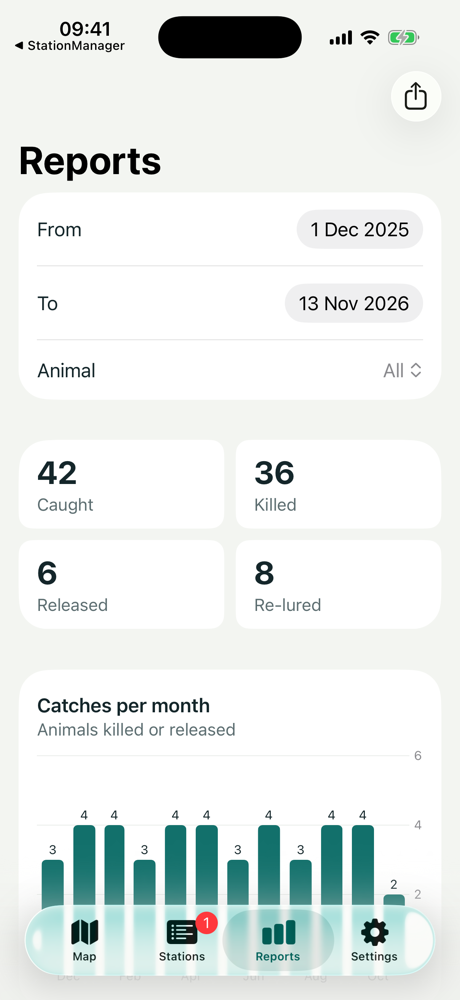
Every catch the group records is in one place, so you can see what is happening across the whole estate and not only at one trap.
- Any date range and any animal. The totals show caught, killed, released and re-lured.
- Month by month. A bar for each month shows when catches happen through the season.
- By trapping group. Narrow the report to one of your groups.
- A spreadsheet to keep. Export every catch with its time, trap, action, animal and who recorded it.
- Works out of signal. Reports are built from what is on your phone, so they still work in the field.
Where it helps.
You hear about a trap sooner.
A triggered trap sends a push alert to the group. If someone checked in at that trap in the last 45 minutes, they are alerted first, as they are the most likely to have set it off.
You know which traps need a look.
Every trap shows as set, unset, triggered or in error on one map. A trap that has not reported for 13 hours is marked as an error, so a quiet one stands out.
The record is kept for you.
Sets, clears, catches and check-ins are logged against each trap, with who was there and when. Catches by animal, trap and month can be exported as a spreadsheet.
It works out of signal.
Traps, history and the coverage map are kept on the phone. Anything recorded out of signal is sent once it is back in range.
The checking stays with you. The app tells you sooner, so you know where to start.
Where it works.
Station Manager works with LoRaWAN and Remoti trap monitors. It runs on iPhone, iPad and Android.
To see traps you need an account linked to a trapping group. Accounts can be deleted from inside the app.
Questions people ask.
Does the app check my traps for me?
No. It tells you what has happened and when, and alerts you to a trap that is triggered or has gone quiet. Checking your traps is still your responsibility.
Do I need a phone signal at the trap?
No. Traps report over LoRaWAN radio. The coverage map shows whether a gateway can hear a spot before you place a trap there.
What happens out of signal?
The app keeps your traps, their history and the coverage map on your phone. Anything you record while out of signal is sent once you’re back in range.
Which animals can I record?
Mink, grey squirrel, rat, fox, magpie, crow and water vole. Each catch is recorded against one of these.
Who can see my traps?
Only the people in the trapping group the traps belong to. An admin decides who is in each group.
Sign in to your trapping group.
Use the account you use in the app. Your traps, reports and group open up once you are in.
Talk to us about your trapping group.
Tell us how many traps you run and where they are, and we’ll talk through how Station Manager would work for your group.